

RAPIDS on Kaggle#
Kaggle Notebooks provide hosted Jupyter notebooks with GPU accelerators. The latest Kaggle notebook environment includes RAPIDS libraries such as cuDF and cuML, so you can start using them without a separate installation.
Create a GPU notebook#
Log in to Kaggle or create a Kaggle account.
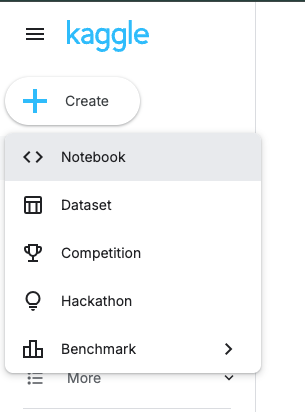
Select Create and then Notebook. You can also open the new notebook page directly.
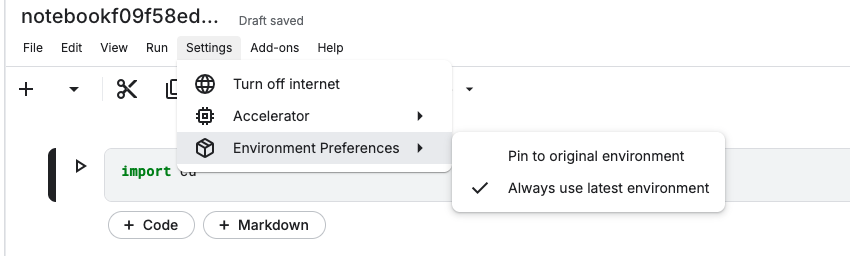
In the notebook editor, select Settings > Accelerator, then choose an available GPU option, such as GPU T4 x2 or GPU P100. Starting a GPU session uses your Kaggle GPU quota, so stop the session when you are done.

Select Settings > Environment Preferences > Always use latest environment. This makes the notebook use Kaggle’s latest environment, which contains the preinstalled RAPIDS libraries.
Test RAPIDS#
Enter the following code in a notebook cell, and select the Run button or
press Shift+Enter:
import cudf

gdf = cudf.DataFrame({"a": [1, 2, 3], "b": [4, 5, 6]})
gdf.sum()
The cell should produce the following output:
a     6
b    15
dtype: int64
This confirms that cuDF can use the prebuilt Kaggle environment. You can also
import cuml to run GPU-accelerated machine learning workflows.
Next steps#
Try these examples in your Kaggle notebook: